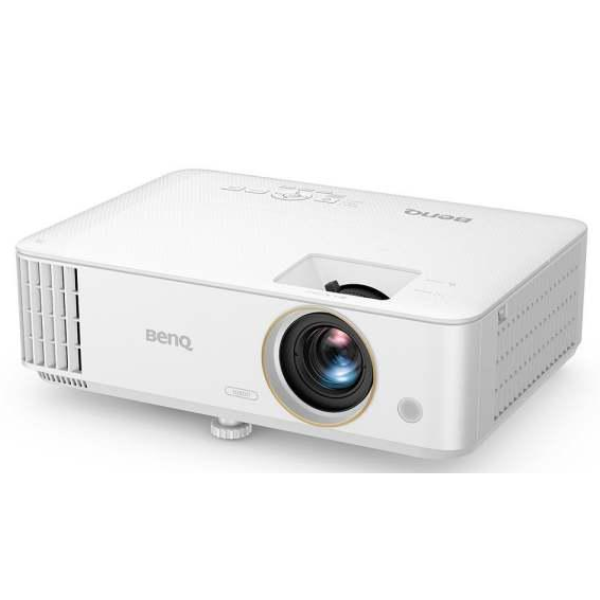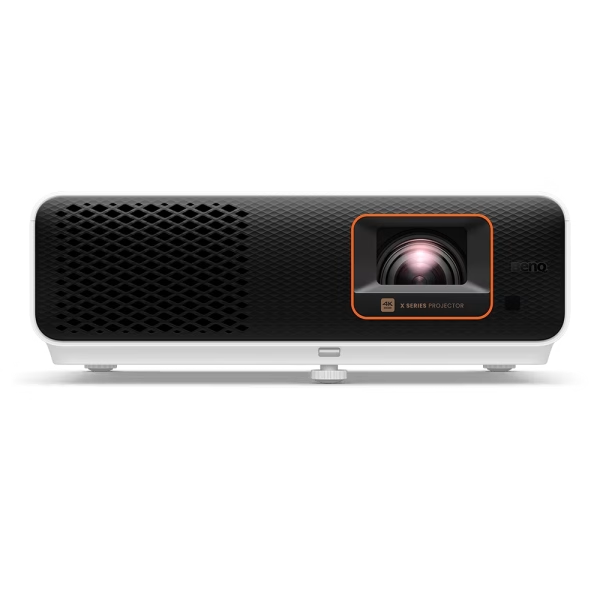

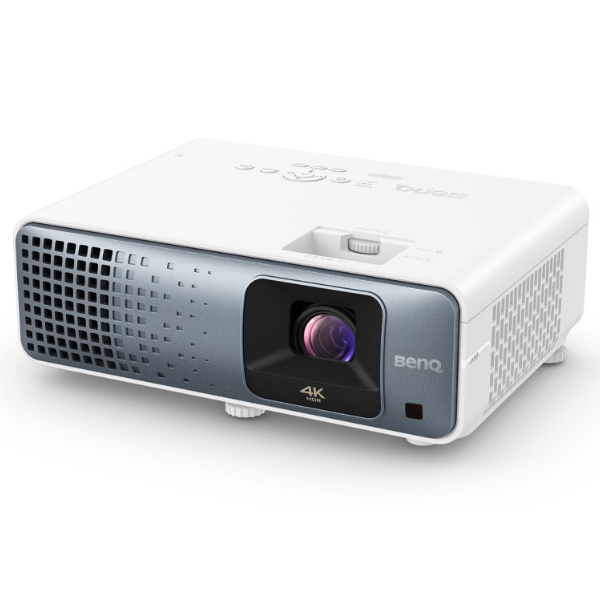
BenQ TK710 4K Laser Gaming Projector Review
The BenQ TK710 is an outstanding gaming projector featuring a laser light source and exceptional input latency, making it a winning choice for modern gamers seeking a big-screen experience. It is well-suited to fully leverage the capabilities of today’s latest gaming consoles and PCs, and doubles as a decent entertainment projector.
Description
The TK710 was a June 2024 addition to BenQ’s Casual Gaming projector series and serves as the higher-end model among the two standard-throw options in that series. It offers gamers lightning-fast input latency as low as 4ms at 240Hz in 1080p, with a maximum latency of 16ms at 4K/60Hz—still impressively fast. At 120Hz, the latency drops to 8ms, making this projector suitable for both console and PC gamers. These latency times cater to casual gaming at 60Hz and more competitive gameplay at higher refresh rates.
The TK710 also features significant upgrades, including a long-lasting laser light source and vertical lens shift. With these enhancements, it’s an excellent choice for large-format, big-screen gaming and casual movie nights, all at an affordable $1,799 MSRP and typical street price. A short-throw version, the TK710STi, is available for $1,999.
Features
The TK710 features a laser light source designed for durability, with a lifespan of up to 20,000 hours. It utilizes a Texas Instruments 0.65-inch DLP chip to produce a sharp and crisp 4K UHD image. Like the many other single-chip DLP projectors using this chipset, the micromirror array employs a native 1080p resolution enhanced by TI’s four-phase pixel-shifting technology known as XPR (Expanded Pixel Resolution) at 240Hz. This process enables it to resolve and display the 8.3 million pixels required for 4K UHD resolution with support for HDR. The resulting image is impressively sharp and clear, showcasing how effectively pixel-shifting technology can work with DLP projectors. Additionally, the TK710 can accept and display 4K UHD signals while supporting 240Hz refresh rates at 1080p. Its native contrast measured at 1,800:1, which is in line with one expects from a 0.65-inch DLP chip.
As with any single-chip DLP projector, there is potential for users sensitive to the “rainbow effect” to notice it. During my use, I did not observe this effect with normal content, though I caught a brief glimpse of it with white subtitles on black. Fortunately, the effect was not overly pronounced, but it is something to consider for users who are particularly sensitive to it.
The TK710 is rated at 3,200 ANSI lumens, however, it did not meet this claim in our testing for day-to-day use. In its brightest picture mode, labeled “Bright” and characterized by a heavy green bias in the image, the TK710’s usable brightness measured just 2,478 ANSI lumens. This falls just short of the 2,560 lumens that would mark the lower edge of the current ISO21118 standard’s allowable 20% tolerance.
It is possible for the projector to temporarily reach a higher output but to do so it activates a “turbo mode” that is only active for purpose of measurements. This is a behavior we have observed in the bright picture modes for other projectors as well. When this behavior is triggered, typically with the application of the white test pattern used to measure brightness, several things happen: the screen flashes briefly, the fans become noticeably louder, and the menu system loses some of its color. During this time, the projector measures a higher brightness, reaching 2,784 ANSI lumens.
The issue with this behavior is that it artificially inflates the ANSI lumen measurements, making them appear higher than what the projector typically delivers under normal conditions. For the TK710, the lower measurement of 2,478 ANSI lumens is the accurate reading, which falls outside the allowable tolerance. However, if the higher reading of 2,784 ANSI lumens is considered, it falls within tolerance, being only 13% below the advertised specification.

Similar to other projectors in this lineup, the TK710 is specified to cover 95% of the Rec.709 color gamut. Our testing revealed a gamut coverage of 95.1%, which meets the published specification. This is the only notable weakness of the TK710. If its gamut coverage were larger, it would be difficult to surpass in many aspects.
Another new feature of the TK710 is the vertical lens shift, which is always a welcome addition. It aids installation by providing flexibility in placement, with a 105% projection offset. While the vertical lens shift range is on the smaller side, offering only 10% total shift, its inclusion is still valuable and hopefully signals a continued trend. The TK710 also features a manual focus and 1.3X zoom, providing users with a 1.15 to 1.5:1 throw ratio. Together, these features significantly enhance installation flexibility. In extreme cases, keystone correction is available, offering +/- 30 degrees of horizontal and vertical adjustment.
The TK710 has a lightweight and compact design, weighing just 6.6 lbs. with dimensions of 11.9 x 4.4 x 9.1 inches (WxHxD). Its small size makes it portable, ideal for setting up a quick gaming session or movie night in the backyard. Capable of both front or rear projection, it can also be placed on a tabletop or be ceiling-mounted, making it suitable for most users’ needs. Adjustment feet are located on the front and rear, allowing users to tilt and pitch the image for better alignment with their projection screen.
The TK710 can project an image size ranging from 30 inches diagonal to a massive 300 inches diagonal, according to BenQ’s projection dimension chart. While it is technically capable of achieving large screen sizes, the ideal projection image size falls between 60 inches diagonal and 150 inches diagonal. In my testing, I found the chart’s recommended distances to be accurate, as I was just over 8 feet away and successfully projected a 100-inch diagonal image. To determine throw distance for your preferred screen size you can utilize the ProjectorCentral BenQ TK710 Throw Calculator.
The TK710 offers a basic set of I/O connectivity options, including two HDMI 2.0b ports with HDCP 2.2 support, and eARC with Dolby Atmos support on HDMI input 2. Additionally, it provides a single RS-232 control port, a 3.5mm mini-jack audio output, and a USB 2.0 Type-A input that supplies 1.5A of power.

The TK710 features a 5-watt mono speaker with four preset sound modes: Cinema, Music, FPS, and User. The User mode allows viewers to adjust the sound via a 5-band equalizer. The audio quality of the TK710 is adequate for casual viewing, such as YouTube, quick games, or the news. However, for a more immersive experience, users may want to connect a more powerful sound system or soundbar, either by routing their sources through an AVR/AVP, soundbar, or by utilizing the Audio Return+ feature.
The real star of the show with the TK710 is its excellent gaming performance. The TK710 offers specialized game modes for FPS (first person shooter) and RPG (role-playing game) genres, each with its own default settings. For example, the FPS mode uses a fixed gamma of 2.2, which cannot be changed, and also has Details Adjustment enabled. While you can manually configure any picture mode with these settings, BenQ has already optimized them for you in these dedicated modes. These modes are available for both SDR and HDR content, with FPS and RPG modes for SDR and HDR-FPS and HDR-RPG modes for HDR content.

Additionally, the TK710 can save customized settings when it detects a game console, storing the settings for up to three different consoles. This is particularly useful for features like Details Adjustment, which raises the black floor of the projector to help detect enemies hidden in shadows. You can also customize other picture settings such as brightness, color temperature, and more.
The TK710 offers some of the lowest input latency available in a gaming projector, with latency as low as 4ms when sending a 1080p/240Hz signal. It provides 8ms latency at 1440p or 1080p at 120Hz, and 16ms at 60Hz for 1080p or 4K resolution. This makes it suitable for both casual and competitive gaming. However, for highly competitive games, a 120Hz or 240Hz setting would be ideal for the absolute lowest latency. One thing to note is that while the TK710 can accept and display a 1440p/120Hz signal, it will downscale and display it as 1080p. Overall, this level of performance is excellent and meets the expectations of gamers looking for a purpose-built gaming projector.
Finally, the included remote is fairly standard, providing access to sound modes, picture modes, volume control, menus, and game settings. It is responsive and works well, but the only feature I would have liked to see is backlit buttons.